
Download Game Fire – Gaming Optimization, Performance Boost, PC Gaming Tool
Overview
Game Fire is a performance-focused utility designed to enhance the gaming experience on Windows-based PCs. The app enables users to optimize system settings by deactivating non-essential Windows features, thereby freeing up memory and processing resources for active games. Its primary purpose is to streamline the operating system during gameplay, reducing background interference and improving responsiveness. This makes it particularly useful for gamers who run resource-intensive titles and seek smoother frame rates and faster load times.
Target users include casual and competitive gamers who want a quick, no-complication way to prepare their systems for optimal performance. The app is ideal for those who may not have technical expertise in system tuning but still desire improved gaming results. While the developer did not provide additional background details, the app’s design and functionality suggest a focus on accessibility and immediate usability.
Real-world use cases include preparing a PC before launching a high-demand game, minimizing lag during competitive matches, or reducing stuttering in graphically complex environments. In the broader app ecosystem, Game Fire fills a niche as a lightweight, on-demand optimization tool that complements more advanced system management utilities. Its one-click activation and straightforward setup make it a convenient addition to a gamer’s toolkit.
Key Features & Functionality
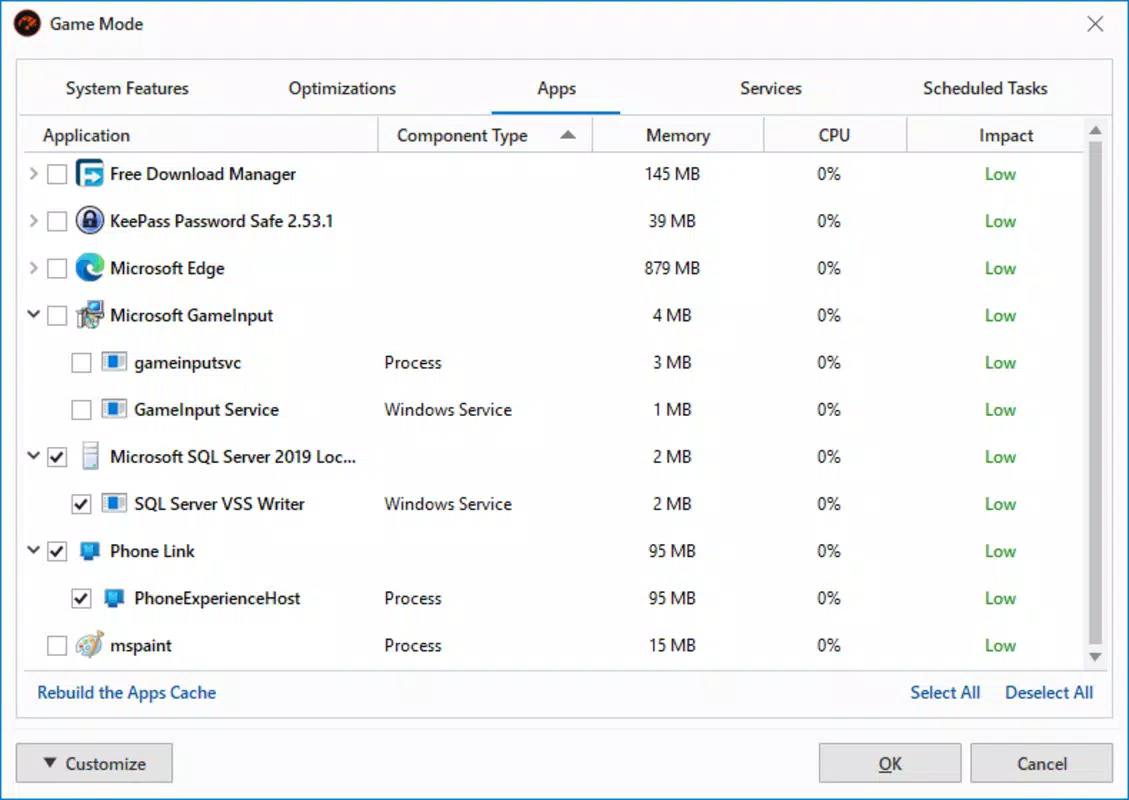
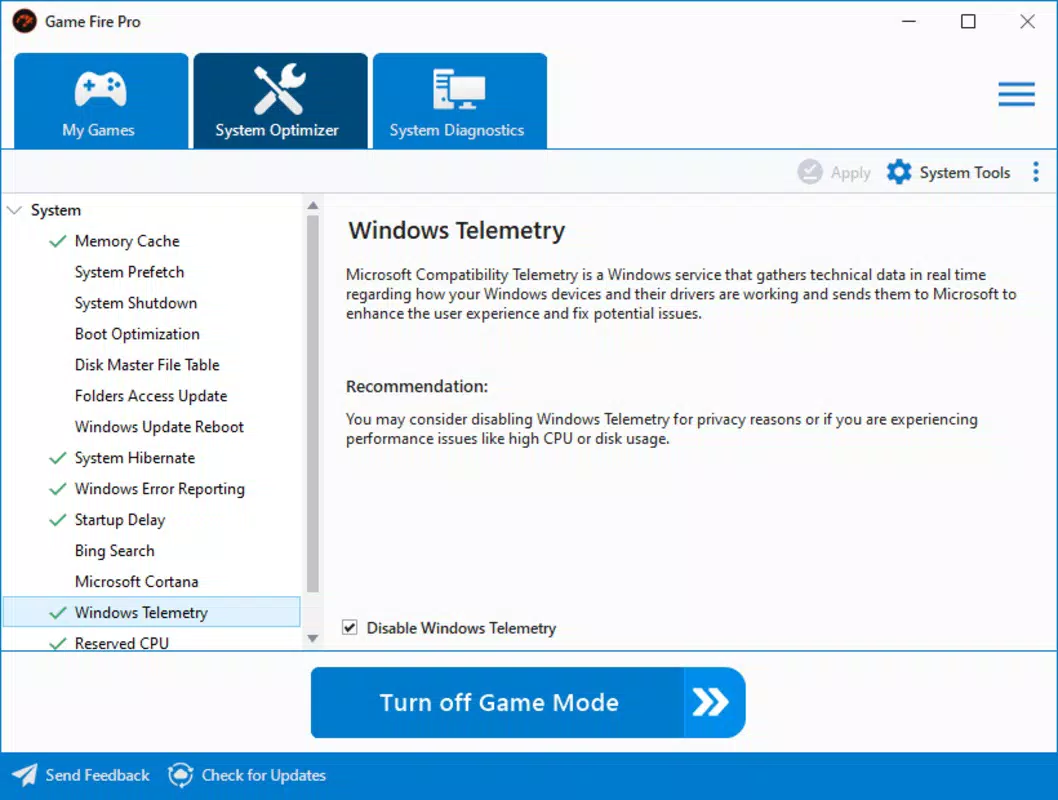
- Easy Configuration: Users can customize gaming mode settings with minimal effort. The interface allows selection of which system features to disable, such as visual effects, background apps, and telemetry services, ensuring a tailored optimization experience.
- One-Click Activation: Once configured, enabling the gaming mode requires only a single click. The app then minimizes to the system tray, allowing uninterrupted gameplay while maintaining performance enhancements in the background.
- Performance Improvement: By reallocating system resources, Game Fire aims to reduce input lag and improve frame consistency. This can be especially beneficial in games that are sensitive to system overhead or run on older hardware.
- Memory Management: The app targets memory-heavy processes and services, freeing up RAM that might otherwise be consumed by non-essential tasks. This helps ensure that more memory is available for the active game, potentially reducing stutters and crashes.
- Variable Results: While the app is designed to deliver performance gains, the actual impact on frame rates may vary depending on the game, hardware configuration, and current system load. Some users may notice significant improvements, while others may observe minimal changes.
For example, a player running a demanding title like Cyberpunk 2077 on a mid-tier PC might experience smoother transitions between scenes after enabling Game Fire. Conversely, a user with a high-end system may see little to no difference, as their hardware already operates near peak efficiency.
Interface, UX & Performance
Game Fire features a clean, minimalistic interface that prioritizes usability. The layout is intuitive, with clearly labeled options and straightforward navigation. Users can configure settings through a series of toggles and dropdown menus, making the process accessible even to those unfamiliar with system-level adjustments.
Navigation flows logically from setup to activation, with a consistent visual language that reduces cognitive load. The one-click activation feature ensures that users can switch modes quickly without interrupting gameplay. Once active, the app runs quietly in the system tray, consuming minimal CPU and memory resources.
Although the developer did not list formal performance metrics, the app appears to maintain stability across different device categories. It operates efficiently without causing system crashes or conflicts with other software. Responsiveness is consistent, and the interface updates promptly when changes are made. The overall experience reflects a focus on reliability and low overhead, which is essential for a tool meant to enhance gaming performance.
Platform Compatibility & Technical Requirements
Game Fire is designed for Windows-based systems. The app is compatible with the latest versions of the Windows operating system, though specific OS versions were not listed. The file size is approximately 25.3 MB, indicating a lightweight installation that does not require significant storage space.
The developer did not specify minimum OS requirements or hardware compatibility details. As such, users should ensure their system meets general Windows standards for running third-party utilities. Compatibility with older Windows versions or alternative platforms was not disclosed.
Pros and Cons
Pros
- Simple, user-friendly interface suitable for non-technical users
- One-click activation for instant performance optimization
- Lightweight design with minimal system resource usage
- Customizable settings to tailor gaming mode to user preferences
- Focuses on freeing up memory and reducing background interference
Cons
- Performance improvements may not be noticeable on high-end systems
- Results can vary significantly depending on the game and hardware
- Developer did not provide detailed technical specifications
- Compatibility with older Windows versions was not confirmed
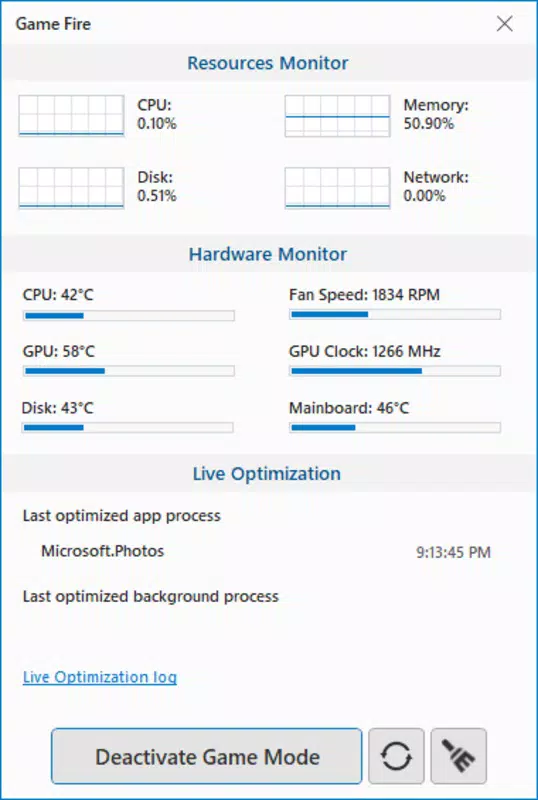
- No built-in monitoring or real-time performance feedback
FAQ
Is Game Fire safe to use?
Yes, Game Fire is designed to modify system settings in a reversible way. It does not alter core system files or install malware. Users can disable the gaming mode at any time, restoring default settings.
Does Game Fire work on all games?
While Game Fire is compatible with most Windows-based games, the performance impact may vary. Some games benefit more from optimization than others, especially those with high system demands or poor resource management.
Can I use Game Fire on older Windows versions?
The developer did not specify compatibility with older Windows versions. It is recommended to test the app on your system to ensure proper functionality.
Does Game Fire require an internet connection?
No, Game Fire does not require an internet connection to function. All optimization processes are performed locally on the device.
How often should I update Game Fire?
Regular updates may be released to improve compatibility and fix bugs. Users should check for updates through the official source to ensure they have the latest version.
Final Thoughts
Game Fire offers a streamlined solution for gamers seeking to enhance their PC’s performance with minimal effort. Its simple setup, one-click activation, and focus on memory optimization make it a practical tool for improving gameplay stability and responsiveness. While results may vary depending on hardware and game type, the app delivers tangible benefits for users on mid-tier or older systems.
For those who want a quick, reliable way to prepare their PC for gaming without deep technical knowledge, Game Fire is a solid choice. It stands out in the utility space for its balance of simplicity and effectiveness. Though not a magic bullet for all performance issues, it serves as a valuable addition to any gamer’s toolkit.
Download Game Fire now


